GSP1149

Overview
FraudFinder is a series of notebooks to show how an end-to-end Data to AI architecture works on Google Cloud, through a toy use case of real-time fraud detection system.
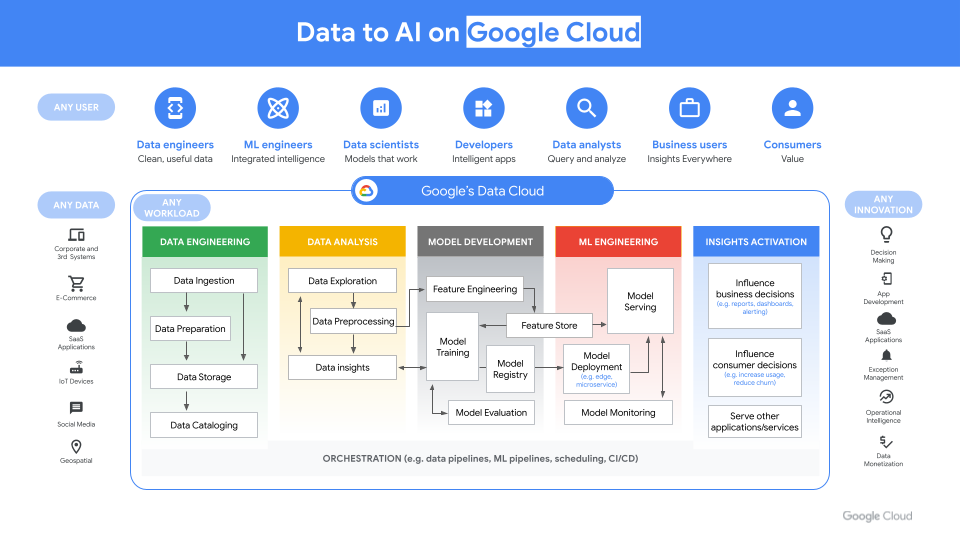
FraudFinder represents a golden Data to AI workshop to show an end-to-end architecture from raw data to MLOps, through the use case of real-time fraud detection. FraudFinder is a series of labs to showcase the comprehensive Data to AI journey on Google Cloud, through the use case of real-time fraud detection. Throughout the FraudFinder labs, you will learn how to read historical payment transactions data stored in a data warehouse, read from a live stream of new transactions, perform exploratory data analysis (EDA), do feature engineering, ingest features into an Agent Platform Feature Store, train a model using Feature Store, register your model in a model registry, evaluate your model, deploy your model to an endpoint, do real-time inference on your model with Feature Store, and monitor your model.
Data to AI is the process of using AI/ML on data to generate insights, inform decision-making, and to augment downstream applications.
Scenario
Imagine that you've just joined Cymbal Bank, and you've been asked to design and create an end-to-end fraud detection solution using Google Cloud.
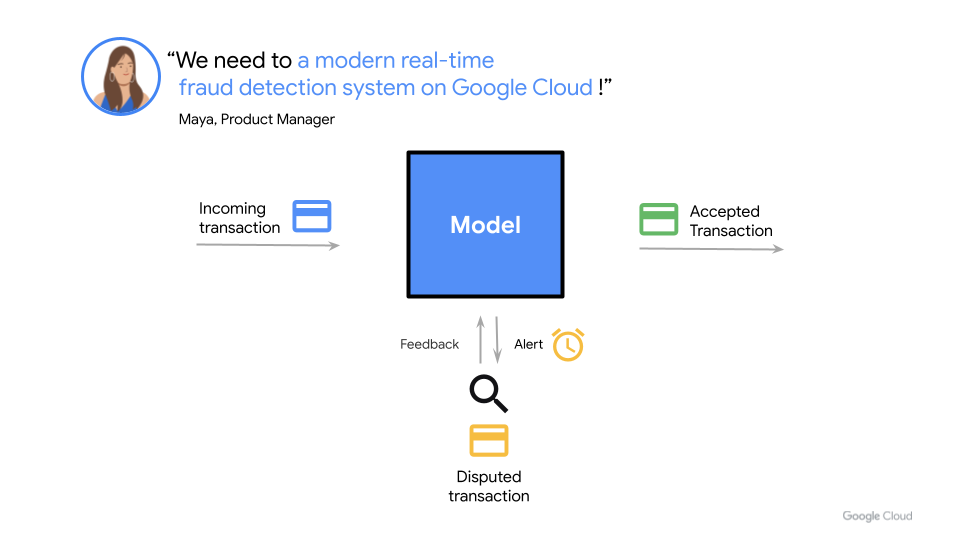
This hands-on lab will walk you through the entire end-to-end architecture across a series of notebooks.
What you will learn
In this lab, you learn how to perform the following tasks:
- Read historical payment transactions data stored in a data warehouse.
- Read from a live stream of new transactions and perform exploratory data analysis (EDA).
- Perform feature engineering and ingest features into a Feature Store.
- Train a model using Feature Store.
- Register your model in a model registry and evaluate your model.
- Deploy your model to an endpoint.
- Perform real-time inference on your model with Feature Store.
- Monitor your model.
Notebook Organization
This lab is organized across various notebooks as:
FraudFinder
| Notebook |
Description |
| 00_environment_setup.ipynb |
Setting up the data and checking to make sure you can query the data. |
| 01_exploratory_data_analysis.ipynb |
Exploratory data analysis of historic bank transactions stored in BigQuery. |
| 02_feature_engineering_batch.ipynb |
This notebook shows how to generate new features on bank transactions by customer and terminal over the last n days, by doing batch feature engineering in SQL with BigQuery. |
| 03_feature_engineering_streaming.ipynb |
Computing features based on the last n minutes, you will use streaming-based feature engineering using Dataflow. |
After feature engineering, you can take either of the following paths for model training and MLOps:
- BigQuery ML
- Custom training on Gemini Enterprise Agent Platform
BigQuery ML
BigQuery ML (BQML) enables users to create and execute machine learning models in BigQuery using GoogleSQL queries. Learn more.
If you would prefer to learn how to train a model using Python packages for machine learning, such as xgboost, then skip this section and move onto the next section on "Agent Platform Custom Training".
| Notebook |
Description |
| bqml/04_model_training_and_prediction.ipynb |
In this notebook, using the data in Agent Platform Feature Store that you previously ingested data into, you will train a model using BigQuery ML, register the model to Model Registry, and deploy it to an endpoint for real-time prediction. |
| bqml/05_model_training_pipeline_formalization.ipynb |
Train and deploy a Logistic Regression model using BQML, register the model with Model Registry & Create an Agent Platform Endpoint & upload the BQML to the endpoint. |
| bqml/06_model_deployment.ipynb |
In this notebook, you learn to set up the Model Monitoring on Agent Platform service to detect feature skew and drift in the input predict requests. |
| bqml/07_model_inference.ipynb |
In this notebook, you will create a Cloud Run app to perform model inference on the endpoint deployed in the previous notebooks. |
Custom training on Agent Platform
Custom training enables users to write any ML code to be trained in the cloud using Agent Platform. Learn more.
If you would prefer to learn how to train machine learning models directly in BigQuery with SQL, followed by MLOps with Agent Platform, then please instead use the notebooks in the above section for "BigQuery ML".
| Notebook |
Description |
| vertex_ai/04_experimentation.ipynb |
In this notebook, using the data in Agent Platform Feature Store that you previously ingested data into, you will train a model using xgboost in a local kernel, track hyperparameter-tuning experiments on Agent Platform, and deploy the model to an endpoint for real-time prediction. |
| vertex_ai/05_model_training_xgboost_formalization.ipynb |
In this notebook, you will learn how to build an Agent Platform dataset, build a Docker container and train a custom XGBoost model using Agent Platform custom training, evaluate the model, and deploy the model to Agent Platform as an endpoint. |
| vertex_ai/06_formalization.ipynb |
In this notebook, you will use Agent Platform Feature Store, Agent Platform Pipelines and Model Monitoring on Agent Platform for building and executing an end-to-end ML pipeline using components. |
Task 1. Agent Platform Workbench
In your Google Cloud project, navigate to Agent Platform Workbench. To do so, you can either click on the link below, or search for "Agent Platform Workbench" in the search bar at the top of the Google Cloud console.
https://console.cloud.google.com/vertex-ai/workbench/

Task 2. Open JupyterLab
On the Workbench page, you should see a notebook instance has already been created for you.
- Click "Open JupyterLab".
- The JupyterLab will run in a new tab.

Task 3. Open the first notebook
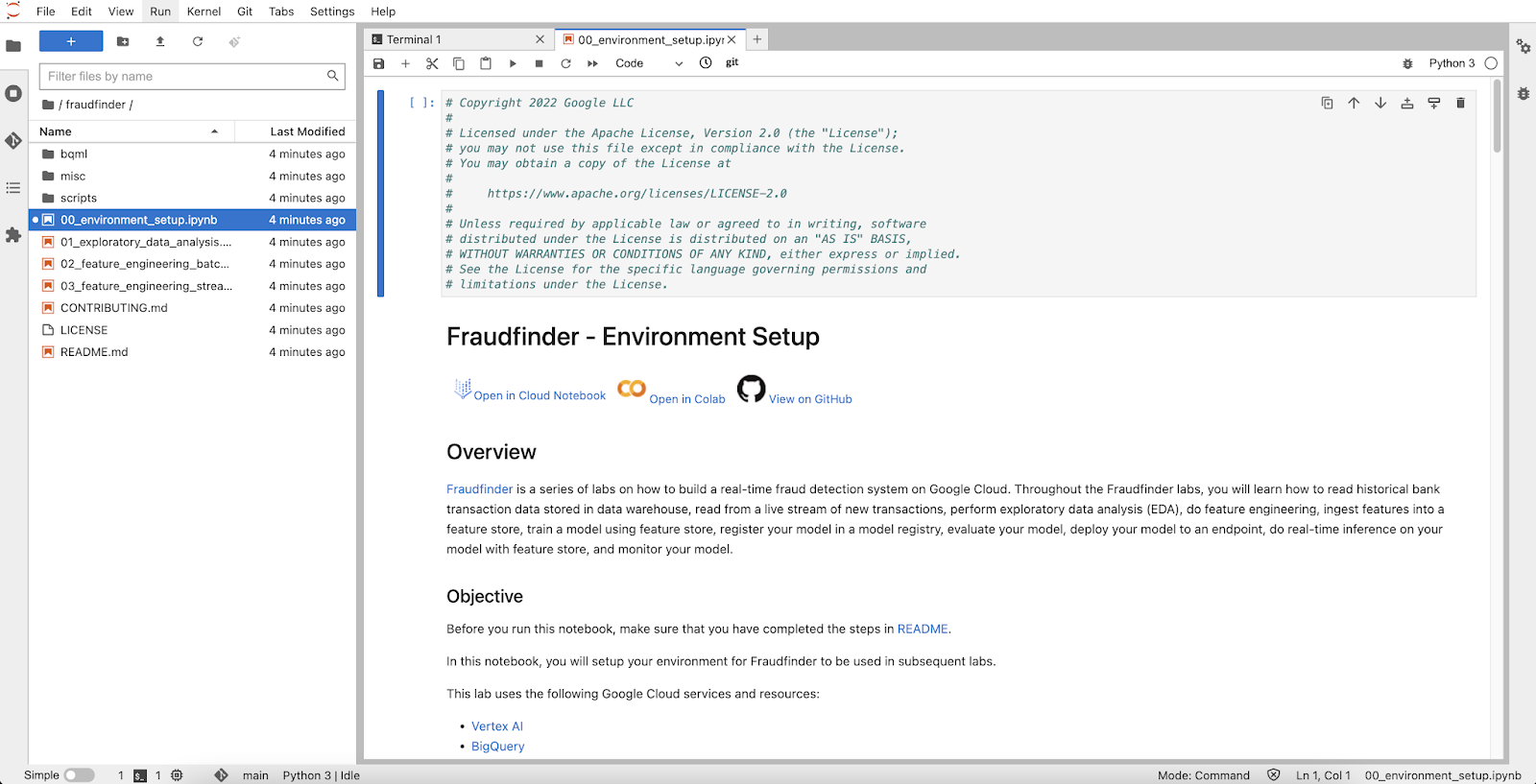
- On the left-hand side view the file directory menu
- Double click on the "fraudfinder" folder and then click on the
00_environment_setup.ipynb notebook.
- In the Select Kernel dialog, choose Python 3 from the list of available kernels.
- The first notebook will be displayed as shown below:
Task 4. Follow the instructions in the notebooks
- Run each cell one at a time to execute the notebook.
- Continue through the remaining notebooks in the fraudfinder/ folder
Note: The emphasis of the lab is to complete the FraudFinder notebooks within the allotted time. Completion of the content within the bqml/ and vertex_ai/ folders are not required.
Congratulations
In this lab, you executed an end-to-end workflow covering the entire machine learning lifecycle for payment transaction data, from data ingestion and stream-based exploratory analysis to feature engineering, model training, registry evaluation, deployment, real-time inference, and continuous monitoring.
Next steps / Learn more
Google Cloud training and certification
...helps you make the most of Google Cloud technologies. Our classes include technical skills and best practices to help you get up to speed quickly and continue your learning journey. We offer fundamental to advanced level training, with on-demand, live, and virtual options to suit your busy schedule. Certifications help you validate and prove your skill and expertise in Google Cloud technologies.
Manual Last Updated May 18, 2026
Lab Last Tested December 09, 2025







